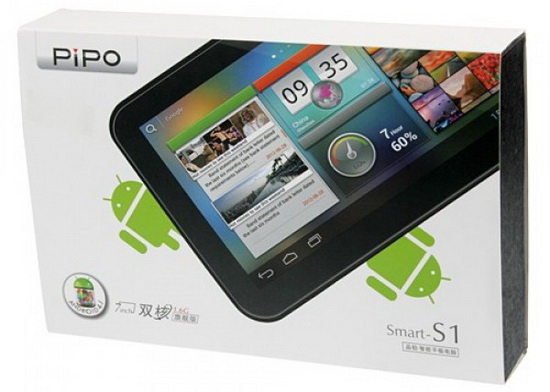
[Update] Here we go with the install instructions:
1. Download the firmware from here, here or here. Unzip the archive.
2. Download the SD files from here, here or here. Unzip the archive and copy the 2 files (1._Oma RK30 JB 4.2.2 Format NAND.zip & 2._Oma_JB_4.2.2_v3.2_Pipo_S1_wifi_fix.zip) to your micro SD card. Insert the SD card into your Pipo S1 tablet.
3. Put Pipo S1 tablet in firmware update mode and then run RKAndroidTool.exe; leave all the fields checked, press 'ErasaIDB' button, wait for the proccess to finish and the press 'Run' button.
4. Wait for the firmware to install (about 4 minutes), it will automatically boot into recovery. Here you have to choose to install zip from your SD card, in the this exactly order: 1._Oma RK30 JB 4.2.2 Format NAND.zip & 2._Oma_JB_4.2.2_v3.2_Pipo_S1_wifi_fix.zip. Then use the CWM line to reboot the tablet.
5. Wait for tablet to boot and enjoy this new firmware with working wifi.
All credits go to Oma
Thanks to Oma, now we can enjoy Android Jelly Bean 4.2.2 on our Pipo S1 tablet. I'll be back with the instructions.


1. Download the firmware from here, here or here. Unzip the archive.
2. Download the SD files from here, here or here. Unzip the archive and copy the 2 files (1._Oma RK30 JB 4.2.2 Format NAND.zip & 2._Oma_JB_4.2.2_v3.2_Pipo_S1_wifi_fix.zip) to your micro SD card. Insert the SD card into your Pipo S1 tablet.
3. Put Pipo S1 tablet in firmware update mode and then run RKAndroidTool.exe; leave all the fields checked, press 'ErasaIDB' button, wait for the proccess to finish and the press 'Run' button.
4. Wait for the firmware to install (about 4 minutes), it will automatically boot into recovery. Here you have to choose to install zip from your SD card, in the this exactly order: 1._Oma RK30 JB 4.2.2 Format NAND.zip & 2._Oma_JB_4.2.2_v3.2_Pipo_S1_wifi_fix.zip. Then use the CWM line to reboot the tablet.
5. Wait for tablet to boot and enjoy this new firmware with working wifi.
All credits go to Oma
Thanks to Oma, now we can enjoy Android Jelly Bean 4.2.2 on our Pipo S1 tablet. I'll be back with the instructions.
- System ext4
- CWM 6.0.1.5 recovery
- Internal Storage 2,5 GB
- external SD mounted as NAND (up to 64 GB)
- TabletUI & Multiuser
- Ethernet & Hotspot Support
- Init.d support
- USB-Hub enabled
- Gamepad (PS2, XBox, ...)
- Kernel modules (cifs, tun, lan, serial)
- Device spoofed as Nexus 7
- Gameloft/Asphalt 7 compatible
- latest hosts, su, su-binary, busybox
- MX Video-Player, Play Music & Volume+
- Reboot Menue, Kernel Tuner, Pimp My Rom, Hide Task-Bar
- Dateimanager HD (Root)
- Nova Launcher
Always
keep in mind that this is not a review, just a first sight of this
firmware. You have to test it more for another details, to see if it
satisfies your needs.
has all the languages?
ReplyDeleteYes, it does!
ReplyDeleteWhen can we expect to be able to download this please.
ReplyDeleteDownload link??????
ReplyDeleteAs soon as possible; this is a test build....
ReplyDeletecannot wait, thanks
ReplyDeleteFelicitari Dane, tot respectul...tutorialele tale m-au salvat de cumparat alta tableta. Numai bine
ReplyDeletegood work, can´t wait..
ReplyDeleteto instal in my pipo s1
thanks
I have updated the instructions, now I'm uploading the firmware archive. Thank you for your patience!
ReplyDeletei judt want to ask u that how u made the wifi fix ...hav u just used the original pipo s1 libhardware_legacy.so and wlan.ko or did some changes to these files...
ReplyDeleteplz tell me i also want to make a wifi fix for my tab...
How to reinstall the original fw?
ReplyDelete@Stitchino take a look here http://chinagadgetsreviews.blogspot.ro/2013/03/pipo-smart-s1-firmwares-gathered-on-one.html
ReplyDelete@pankaj singh the wifi fix is made by Oma
ReplyDeleteAfter the update the virtual volume button doesnt work.
ReplyDeleteHow to put it on the quick launch?
Other problem is the screenshoot button...thanks for support
I like it more this way -without the volume and SS buttons-, you can download a tons of apps for this, just search in gplay, screenshot
ReplyDeleteHow its vs 4.1.1 its better faster the battery its ok??? any problem? thanksss
ReplyDeleteI installed this but it seems to have the same issues I have when I installed the lastest oficial ROM from Pipo, I use an external keyboard and it stops working when the tablet goes to sleep mode, same thing with wifi, I set the wifi to be always on but when the screen goes to sleep mode I can't recieve any message and video calls, only when the screen is on.
ReplyDeletewhat is the problem in this ROM?
ReplyDelete@Miguel Sandoval & @Melvin
ReplyDeleteThis is a Test Build, not a final build...
For a test build the ROM is great. Yes there are issues with Wi-Fi turning off and the sound is lower than with other ROMS from OMA, hoping that this is fixed in the final version. However on the whole it is a great start and cannot wait to see how the final version will turn out. Thanks for all your hard work on this.
ReplyDeleteI cant install any apps it say there its no space
ReplyDeleteWhen will be post the final version?
ReplyDeleteCan this be made for the PIPO S2.
ReplyDeletethis firmware have severals fails. it doesnt save settings like lenguaje, display a message low space in disck so i cant install apps, it needs much work to have a good firmware.
ReplyDeleteplease release the final version of this firmware without any bugs...
ReplyDeleteI've installed the rom with the wifi fix and I don't have wifi anyway. Ok, nothing is perfect for everybody but now I have a Problem:
ReplyDeleteMy Tab is recognized as Nexus and I cannot install the RockUsbDriver so I cannot install another rom :(
Does anyone have the right Driver or a working update.zip or a Backup made with CVM-Recovery that can help me?
Can this firmware work with ainol novo 7 rainbow how also jelly bean 4.2.2 install i want to reinstall because of some problems.?
ReplyDeleteInstalled the firmware and looks good with the exception of the gallery will not play back a recorded video made with the front camera. On Pipo Smart S1.
ReplyDeletesound not working
ReplyDeleteAll time I rebot my tablet, all the settings are restored, how can I rix this problem, because I liked this firmware. And my tablet hasn't internal storage, 0gb, how fix it?
ReplyDelete@Natalie Junior
ReplyDeleteTry install this version http://chinagadgetsreviews.blogspot.ro/2013/06/android-jelly-bean-422-firmware.html
Does Jelly Bean address the Portable Wi-Fi Hotspot issue? I don't know about the rest of you but every time I enable it in the Wi-Fi settings, it shuts Wi-Fi off and then it says turning Wi-Fi back on, but it never turns back on. Tried several things including changing to open access, WPA, etc. Can anyone sheds some light on this? Thanks
ReplyDelete