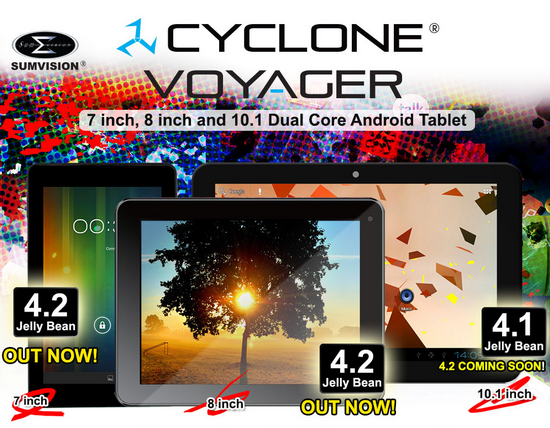

First you have to download the Sumvision Cyclone Voyager 7" / PiPO S1 rooted Android 4.2.2 firmware v.1.2 revision January 2014 from here, here or from here. Next, download the Rockchip Batch Tool v1.7 from here.
Now put the Pipo S1 tablet into 'firmware update mode', run the Rockchip Batch Tool v1.7, select the update.img file and press 'Restore' button. Wait for 4-5 minutes and that's it. First boot takes longer, about 5 minutes, so please be patient.
Custom ROM features:
- Android Jelly bean 4.2.2
- Kernel 3.0.36+
- root with latest SuperSU version 1.91 (free version)
- removed most Chinese and unnecessary applications
- Google Play Store fixes so more application are visible/compatible
- updated busybox v1.21.0.git (2012-11-29)
- Unix like init.d boot scripts support, more details on init.d scripts here
- changed permissions on external sdcard to allow write access
- increased space for applications (/data partition) to 3 GB
- disabled OTA updates
- kernel modules (cifs, tun, lan, serial, xpad) compiled by Oma & Crew RKTablets
- NEW! optional ClockworkMod (CWM) Recovery easy install package
- about 14.000 points in Antutu Benchmark.
- HDMI is working perfectly
- Build number: rk30sdk-eng 4.2.2 JDQ39 eng.root20140111.123608 test-keys

Another way to install CWM 6.0.31
To install the CWM 6.0.2.7 please follow the update steps from this post. Then download CWM 6.0.3.1 from here or from here and copy it as it is on a micro SD card, install Quick Boot free from Play store, reboot into recovery, then choose 'install zip from sd card' and apply the new CWM zip file from your card. Enjoy CWM 6.0.3.1 on your tablet!
BTW, don't forget to calibrate your battery using this tutorial.
Custom ROM features:
- Android Jelly bean 4.2.2
- Kernel 3.0.36+
- root with latest SuperSU version 1.91 (free version)
- removed most Chinese and unnecessary applications
- Google Play Store fixes so more application are visible/compatible
- updated busybox v1.21.0.git (2012-11-29)
- Unix like init.d boot scripts support, more details on init.d scripts here
- changed permissions on external sdcard to allow write access
- increased space for applications (/data partition) to 3 GB
- disabled OTA updates
- kernel modules (cifs, tun, lan, serial, xpad) compiled by Oma & Crew RKTablets
- NEW! optional ClockworkMod (CWM) Recovery easy install package
- about 14.000 points in Antutu Benchmark.
- HDMI is working perfectly
- Build number: rk30sdk-eng 4.2.2 JDQ39 eng.root20140111.123608 test-keys
Another way to install CWM 6.0.31
To install the CWM 6.0.2.7 please follow the update steps from this post. Then download CWM 6.0.3.1 from here or from here and copy it as it is on a micro SD card, install Quick Boot free from Play store, reboot into recovery, then choose 'install zip from sd card' and apply the new CWM zip file from your card. Enjoy CWM 6.0.3.1 on your tablet!
BTW, don't forget to calibrate your battery using this tutorial.
Here is the original post.
Credits go to Kasty for rooted version and Cristian Czinege for mirror link.
what's the difference between v1 and v1.2?
ReplyDelete@aldo he
ReplyDeleteThe first big difference is that now the HDMI video output is working.
Also, this version runs better, getting a higher score in Antutu benchmark..
Thanks!
ReplyDeleteHello.
ReplyDeleteThe build.prop Patch v1.0 is already installed on this version, right?
does this firmware works on arc mobile tab 701D?
ReplyDeletebuild.prop Patch v1.0 is not included
ReplyDeleteHello.
ReplyDeleteIs it possible for you to modify the build.prop to make the stock launcher looks like Google Nexus where the Notification is at the top left and Quick Settings is at Top right as well as the Softkeys are in the middle center. Same launcher after applying the Cyclone Patch v1 build.prop. I've tried contacting AlmoSTacey through Facebook but still waiting for his response.
I do not know what code I take out from his patch to put on the build.prop on this new ROM
links not working
ReplyDeleteMany thanks for your support and all your work, is excellent rom is the best i test and is my favorite.
ReplyDeleteLinks are dead , or i m doing somthing wrong ?
ReplyDeleteThis comment has been removed by the author.
ReplyDeleteI'll will reupload soon
ReplyDeleteFirst link is working --> press on 'Apasati aici pentru a porni download-ul' button right bellow 'kasty_sumvision cyclone voyager_pipo s1 firmware rooted_2014.zip'
ReplyDeleteDoes WiFi work right?
DeleteDan Stefan thanks for the quick reply but i cant download from the first link. Tried in different PC and different browsers but nothing! i made account at filehost.ro , still cant download . Can someone upload the file in one other place?
ReplyDeleteHello.
ReplyDeleteCWM installation is successful via ArcTools application that came with the Rom. Backup to external SD is also working.
Tried CWM included on this guide but tab won't boot. Better use ArcTool if you want custom recovery.
@Tino Hh
ReplyDeleteYes, WiFi is working just fine...
@johnnie
ReplyDeleteI reuploaded it, try now, there are 3 new mirror links...
A aparut vre-un driver pentru windows 8.1,deoarece degeaba ma uit la minunatia asta de rom,nu-l pot instala pe tableta :(
ReplyDeletewhy i can't run root explorer and rom toolbox after flashing the firmware even the firmware is rooted...
ReplyDeleteand my rear camera is not working...
am using arc mobile 701D...
"changed permissions on external sdcard to allow write access"
with that features i thought i can save or move game data or obb file to external sd.. but when i try it.. when i open the game the data can't be found.... it only read obb files if its move to internal memory...
anyone can help me...
Salutare! Detin o tableta Flytouch 9 si in urma resetarii "revenire la setarile din fabrica" nu mai are "simtul" atingerii la touchscreen,practic touchscreenul nu mai ia nici o comanda! Prin mufa microusb merge conectat mouse cu care pot lucra la tableta ! Apelez la domnul Dan Stefan pentru rezolvarea problemei tabletei mele.Mai jos este build.prop original al firmware-ului cu care a venit tableta. Procesorul tabletei este Rockchip RK3066,chipsetul wi-fi/bluetooth este RTL8723AS. Am gasit un firmware cu greu pe un site din china dar in urma upgrade-ului sau al restaurarii cu acea imagine tableta tot nu si-a recapatat "simtul" atingerii!! Gresesc undeva?Exista anumite setari ce trebuiesc facute prin mouse pentru activarea touchscreenului??Multumesc anticipat pentru orice informatie legata de aceasta problema a tabletei! Aceasta este tableta doar ca pe cutie scrie doar FLYTOUCH 9 ANDROID 4.2 http://www.szkingdomtech.com/uploads/allimg/121101/1_121101003719_1.jpg
ReplyDelete# begin build properties
# autogenerated by buildinfo.sh
ro.build.id=JDQ39
ro.build.display.id=huangguo.ZM1003TN.V1.3 20130813.V422.3589d3e3
ro.build.version.incremental=eng.danny.20130807.155621
ro.build.version.sdk=17
ro.build.version.codename=REL
ro.build.version.release=4.2.2
ro.build.date=Wed Aug 7 15:57:54 CST 2013
ro.build.date.utc=1375862274
ro.build.type=eng
ro.build.user=danny
ro.build.host=zed-server1
ro.build.tags=test-keys
ro.product.model=Flytouch 9
ro.product.brand=rk30sdk
ro.product.name=rk30sdk
ro.product.device=rk30sdk
ro.product.board=rk30sdk
ro.product.cpu.abi=armeabi-v7a
ro.product.cpu.abi2=armeabi
ro.product.manufacturer=rockchip
ro.product.locale.language=en
ro.product.locale.region=US
ro.wifi.channels=
ro.board.platform=rk30xx
# ro.build.product is obsolete; use ro.product.device
ro.build.product=rk30sdk
# Do not try to parse ro.build.description or .fingerprint
ro.build.description=rk30sdk-eng 4.2.2 JDQ39 eng.danny.20130807.155621 test-keys
ro.build.fingerprint=rk30sdk/rk30sdk/rk30sdk:4.2.2/JDQ39/eng.danny.20130807.155621:eng/test-keys
ro.build.characteristics=tablet
# end build properties
#
# system.prop
#
#rild.libpath=/system/lib/libreference-ril.so
#rild.libargs=-d /dev/ttyUSB2
# Default ecclist
ro.ril.ecclist=112,911
#
# ADDITIONAL_BUILD_PROPERTIES
#
ro.com.android.dateformat=MM-dd-yyyy
ro.config.ringtone=Ring_Synth_04.ogg
ro.config.notification_sound=pixiedust.ogg
ro.carrier=unknown
ro.config.alarm_alert=Alarm_Classic.ogg
dalvik.vm.heapstartsize=8m
dalvik.vm.heapgrowthlimit=64m
dalvik.vm.heapsize=384m
dalvik.vm.heaptargetutilization=0.75
dalvik.vm.heapminfree=512k
dalvik.vm.heapmaxfree=8m
ro.config.facelock=enable_facelock
persist.facelock.detect_cutoff=5000
persist.facelock.recog_cutoff=5000
ro.sf.lcdc_composer=0
keyguard.no_require_sim=true
ro.com.android.dataroaming=true
ril.function.dataonly=0
persist.sys.strictmode.visual=false
dalvik.vm.jniopts=warnonly
ro.rksdk.version=RK30_ANDROID4.2.2-SDK-v1.00.00
sys.hwc.compose_policy=6
sys.wallpaper.rgb565=0
sf.power.control=2073600
sys.rkadb.root=0
ro.sf.fakerotation=true
ro.sf.hwrotation=270
ro.rk.MassStorage=false
ro.rk.systembar.voiceicon=false
ro.rk.systembar.tabletUI=false
wifi.interface=wlan0
ro.tether.denied=false
ro.sf.lcd_density=160
ro.rk.screenoff_time=60000
ro.rk.def_brightness=200
ro.rk.homepage_base=http://www.google.com/webhp?client={CID}&source=android-home
ro.rk.install_non_market_apps=false
ro.default.size=100
persist.sys.timezone=Atlantic/Azores
ro.product.usbfactory=rockchip_usb
wifi.supplicant_scan_interval=15
ro.opengles.version=131072
ro.factory.tool=0
ro.kernel.android.checkjni=0
ro.rk.bt_enable=true
ro.factory.storage_policy=0
persist.sys.usb.config=mass_storage
testing.mediascanner.skiplist=/mnt/sdcard/Android/
ro.product.version=1.0.0
ro.product.ota.host=www.rockchip.com:2300
dalvik.vm.dexopt-flags=m=y
net.bt.name=Android
dalvik.vm.stack-trace-file=/data/anr/traces.txt